
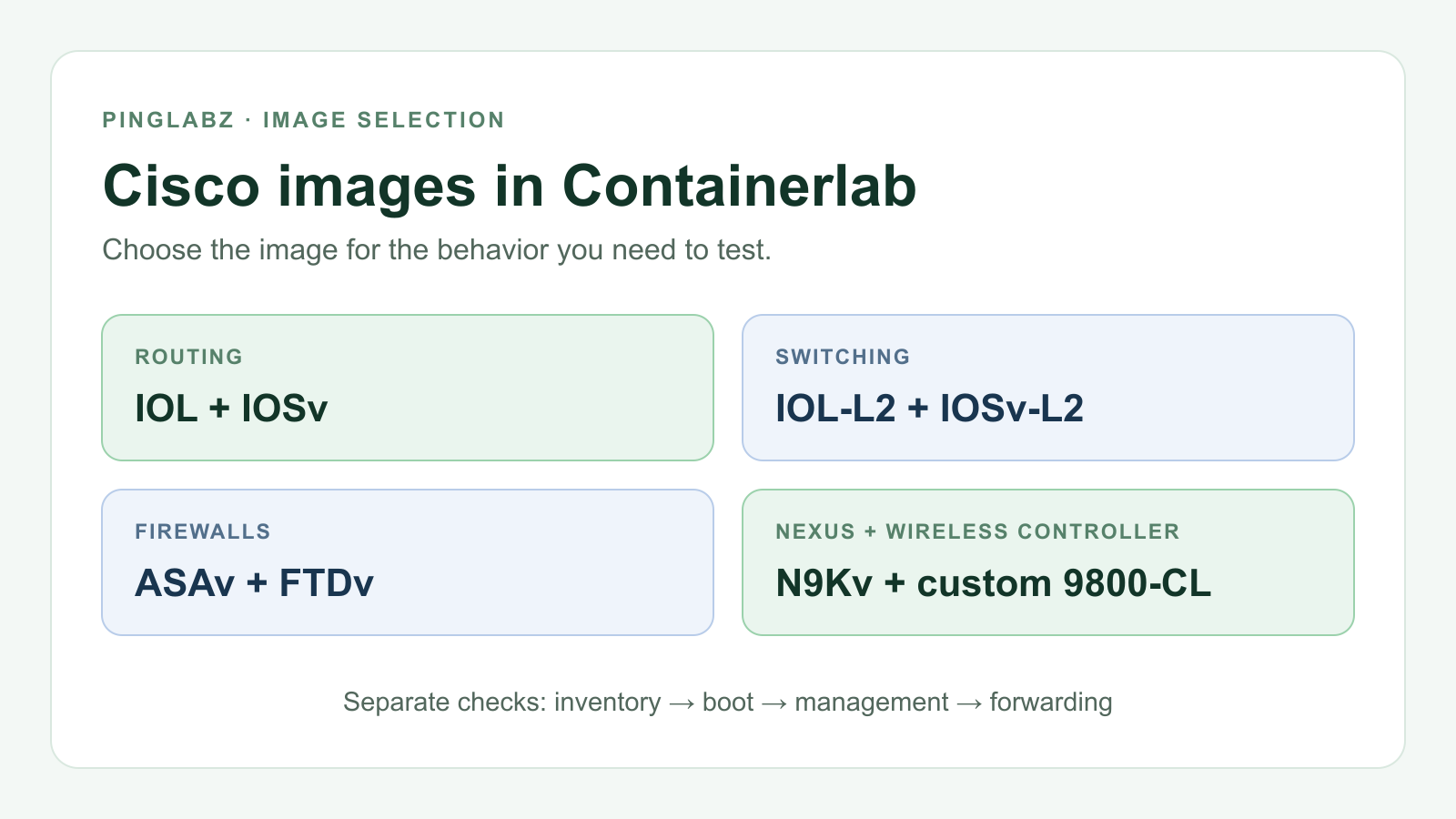
A switch can accept a feature's configuration and still fail the experiment you built it for. In the PingLabz reference labs, IOL-L2 handled STP and source-aware IGMP snooping, but its wired 802.1X probe never completed the authentication exchange. IOSv-L2 completed EAP-TLS and passed client traffic. Choosing between those images changes what you can learn from the lab.
For a Cisco Containerlab lab, start with the behavior you need to observe. Then check the image tag, topology kind, interface mapping and resource budget. A familiar product name is only part of that choice.
This guide brings eight Cisco variants into one place, alongside the Linux endpoints and sensors installed on the same host. It separates the live inventory from lessons carried forward from earlier lab records, so an installed Nexus image does not quietly become a tested Nexus deployment.
What was actually verified
The inventory was captured on October 16, 2026, Pacific time, with raw timestamps on October 17 UTC. It records 13 installed tags on a Linux/amd64 host running Containerlab 0.79.0. Image metadata, host capacity, KVM permissions and local vIOS launcher resource defaults were checked.
The only nodes deployed for that inventory session were two Alpine endpoints. Their data interfaces were up at MTU 1500, and each received all three ping replies from the other. That establishes a working minimal Containerlab link, not Cisco forwarding.
No Cisco node was booted or tested for this hub. The Cisco results below come from the October 16 reference lessons summarized in the supplied inventory README. A separate session's running ASA was not a test for this article. FTDv, N9Kv and the 9800 were never started by the hub work.
Keep four questions separate: is the image installed, does the guest boot, can you manage it, and does the required traffic pass? Each needs its own evidence.
Live installed image inventory
These are exact local tags and byte sizes from the captured per-image Docker inspection. They describe this host's snapshot, rather than recommended upstream versions or an image download catalog.
| Platform or role | Exact local tag | Image size, bytes |
|---|---|---|
| IOL router | vrnetlab/cisco_iol:17.18.02 |
980,499,310 |
| IOL-L2 | vrnetlab/cisco_iol:L2-17.18.02 |
857,699,451 |
| IOSv router | vrnetlab/cisco_vios:159-3.M12 |
795,451,351 |
| IOSv-L2 | vrnetlab/cisco_vios:L2-20200929 |
861,526,841 |
| ASAv | vrnetlab/cisco_asav:9-24-1 |
1,899,166,480 |
| FTDv | vrnetlab/cisco_ftdv:10.0.0 |
6,330,321,132 |
| N9Kv / Nexus 9300v | vrnetlab/cisco_n9kv:9300-10.6.2.F |
6,688,136,232 |
| Custom Catalyst 9800-CL | vrnetlab/cisco_cat9800:17.18.02 |
8,405,379,220 |
| Alpine endpoint | alpine:3.24.2 |
12,932,203 |
| Zeek | zeek/zeek:lts |
750,877,480 |
| Suricata | jasonish/suricata:8.0.3 |
649,517,377 |
| Containerlab Web infrastructure | ghcr.io/srl-labs/containerlab-web:latest |
893,265,749 |
| Hello World utility | hello-world:latest |
20,399 |
For comparison, this is an excerpt of the real lab-host docker image ls capture. The ellipses mark omitted rows; the displayed units and spacing are preserved from the evidence.
clab$ docker image ls
IMAGE                                      ID             DISK USAGE   CONTENT SIZE   EXTRA
...
vrnetlab/cisco_asav:9-24-1                 4eaaac131abe        1.9GB          567MB   U
vrnetlab/cisco_cat9800:17.18.02            36266eb64d15       8.41GB         4.03GB
vrnetlab/cisco_ftdv:10.0.0                 2a9e8cff229f       6.33GB         2.14GB
vrnetlab/cisco_iol:17.18.02                bb4250494c98        981MB          254MB
vrnetlab/cisco_iol:L2-17.18.02             f0b9347f1b78        858MB          226MB
vrnetlab/cisco_n9kv:9300-10.6.2.F          ecf4d7b01008       6.69GB         3.14GB
vrnetlab/cisco_vios:159-3.M12              655e7030f7fd        795MB          222MB
vrnetlab/cisco_vios:L2-20200929            b40aa75edb89        862MB          255MB
...
Image size is not guest RAM. Shared image layers also mean that adding these sizes will not tell you occupied disk space. The separate Docker disk-usage capture reported 25.52 GB of images and 27.59 GB of build cache. Leave room for overlays and temporary build media as well.
All 13 inspected images reported Linux/amd64. Tags such as lts and latest identify what was present locally; the collection did not pull or update them. An image's creation timestamp is build metadata, not proof of when it was installed or tested.
IOL router: routing, ICMP and IKEv1 IPsec
For Containerlab Cisco IOL work, the router image in this inventory is vrnetlab/cisco_iol:17.18.02.
| Setting | Local integration |
|---|---|
| Kind | cisco_iol, default router |
| CPU / RAM | Not quantified in the supplied references |
| Management | Normally Ethernet0/0 |
| Data map | eth1 → Ethernet0/1; eth4 → Ethernet1/0; four ports per slot |
The biggest gotcha is the native console. IOL does not use the QEMU TCP/5000 console path. Sending Ctrl-C/ETX through a host PTY can kill IOL or iouyap. Use a verified attach or socket method, keep one console owner, and use printable text with carriage returns when applying configuration.
The reference record includes a first boot under one minute and successful IKEv1 encrypted host forwarding with NAT overload and exemption. That makes this build a useful starting point for the IPsec Phase 1 up, Phase 2 down lab. Check the data SAs and traffic: QM_IDLE by itself does not prove encrypted forwarding.
For routing faults, the ICMP troubleshooting lab adds return-route, unreachable and MTU questions. A missing route produced ICMP type 3/code 1 in the reference; unreachable rate limiting could hide the terminal error during traceroute.
IOL-L2: STP, multicast snooping and native VLAN tests
| Setting | Local integration |
|---|---|
| Image | vrnetlab/cisco_iol:L2-17.18.02 |
| Kind / type | cisco_iol, type: l2 |
| CPU / RAM | Not quantified in the supplied references |
| Management | Normally Ethernet0/0 |
| Data map | eth1 → Ethernet0/1; eth4 → Ethernet1/0; eth5 → Ethernet1/1 |
The main trap is assuming that a supplied startup configuration loaded. It did not load reliably on every switch in the recorded work. Apply the intended baseline through the console when needed, save it, and verify the hostname, VLANs, STP priority and costs before interpreting an election. The IOL console warning above applies here too.
The six-switch STP root-port worked example exercised cost, sender bridge ID and sender port ID. The IGMPv2/v3 lab recorded source-aware, member-only forwarding. A one-way double-tag injection and its native-VLAN hardening are covered in the VLAN-hopping lesson.
Those successes have a boundary. This IOL-L2 build's wired 802.1X probe did not complete EAP/RADIUS, and its DHCP-snooping probe did not produce useful enforcement and bindings. They are results for the tested build, not a verdict on every IOL release.
IOSv router: check the interface before configuring it
| Setting | Local integration |
|---|---|
| Image | vrnetlab/cisco_vios:159-3.M12 |
| Kind / type | cisco_vios, type: router |
| CPU / RAM | 1 vCPU / 512 MiB in the inspected local launcher source |
| Management | GigabitEthernet0/0 |
| Data map | eth1 → GigabitEthernet0/1 |
Interface aliases are the gotcha. Published aliases can differ from this local mapping. Use ethN endpoints in the topology and confirm which guest interface they reach before assigning the link's configuration.
The CPU and RAM values came from a static source inspection, not a guest boot or measured working set. A rebuild or launcher override can change them. The supplied record does not establish router-specific forwarding or boot timing for this image; IOSv-L2's successful switch labs cannot fill that gap.
IOSv-L2: the reference choice for wired 802.1X
| Setting | Local integration |
|---|---|
| Image | vrnetlab/cisco_vios:L2-20200929 |
| Kind / type | cisco_vios, type: switch |
| CPU / RAM | 1 vCPU / 768 MiB in the inspected local launcher source |
| Management | GigabitEthernet0/0 |
| Data map | eth1–eth3 → Gi0/1–Gi0/3; eth4 → Gi1/0; eth5 → Gi1/1 |
The first gotcha is readiness. Wait for the launcher's Startup complete; the cited lab took about three minutes. Temporary Docker unhealthy status occurred during bootstrap, and SSH could appear before the final configuration save. Higher guest NICs only exist when cabled in the topology.
This is the build behind the recorded fresh EAP-TLS authentication and routed client traffic. Start with the 802.1X shared-secret mismatch lab or dynamic VLAN assignment lab. Check formal port authorization and forwarding as well as the RADIUS result: a successful authentication exchange alone can coexist with an unauthorized port.
The DHCP-snooping lab and port-security lab provide other reasons to choose IOSv-L2. Neither justifies treating it as physical switch hardware. In the reference SVI tests, an existing VLAN interface stayed up/up after its last useful member disappeared while forwarding failed. Pair interface status with ARP and traffic tests; no autostate was rejected by that build.
ASAv: NAT and ACL behavior with small flows
| Setting | Local integration |
|---|---|
| Image | vrnetlab/cisco_asav:9-24-1 |
| Kind | cisco_asav |
| CPU / RAM | 1 vCPU / 2048 MiB guest allocation |
| Management | Management0/0 |
| Data map | eth1 → GigabitEthernet0/0 |
For an ASAv Containerlab lab, plan around the first boot. Initial discovery reboots the guest once. The reference advises allowing 10–20 minutes; its recorded 16-minute-27-second startup included a bootstrap stall. Watch readiness instead of deciding that a quiet serial screen means failure.
The earlier run verified SSH, NAT/ACL behavior, packet-tracer and packet captures. The unlicensed image in that record had a 100 Kbps limit, which suits policy questions and small flows rather than throughput measurements. Warm ARP with real traffic before interpreting packet-tracer, and remember that simulations also increment NAT counters.
The ASA NAT troubleshooting lab is a useful next exercise. Keep recovery scoped to that topology: a direct docker restart in the reference run lost data veth links.
FTDv: preparation is a separate step from deployment
| Setting | Local integration |
|---|---|
| Image | vrnetlab/cisco_ftdv:10.0.0 |
| Kind | cisco_ftdv |
| CPU / RAM | 4 vCPUs / 8192 MiB guest allocation |
| Management | Management0/0 |
| Expected data map | eth1 → GigabitEthernet0/0; not forwarding-verified |
A completed plain Docker build is not the prepared appliance. This builder's process included a privileged first-time QEMU installation and a final commit. Preparation took about 14 minutes, followed by additional build and commit time.
The reference builder reached the CLI, shut down cleanly and committed the prepared image; topology validation also passed. That record does not establish a separately deployed node's SSH, Firepower Device Manager access or forwarding. The prepared setup uses local FDM; FMC registration is separate. Do not assume that an IOS-style startup configuration will import unchanged.
Choose FTDv for a separate FTD/FDM validation exercise, with boot, access and traffic checks still to do.
N9Kv: installed and integrity-checked, with boot still unproven
| Setting | Local integration |
|---|---|
| Image | vrnetlab/cisco_n9kv:9300-10.6.2.F |
| Kind | cisco_n9kv |
| CPU / RAM | 4 vCPUs / 10240 MiB guest allocation |
| Management | mgmt0 |
| Expected data map | eth1 → Ethernet1/1; not verified by this hub |
The gotcha is the evidence gap between packaging a disk and running a Nexus. The reference checked source transfer and hash, built the image, checked that the packaged QCOW2 was readable and non-corrupt, and validated the topology.
It did not test device boot, SSH or forwarding. There is no measured Nexus boot time in the supplied record. Treat this tag as an installed candidate for Nexus-specific exploration, with its own acceptance checks required before relying on a feature result.
9800-CL: a custom controller management lab
| Setting | Local integration |
|---|---|
| Image | vrnetlab/cisco_cat9800:17.18.02 |
| Kind | generic_vm, custom integration |
| CPU / RAM | 2 vCPUs / 6144 MiB guest allocation |
| Guest hardware | Virtio disk and NICs; at least four guest NICs |
| Management | GigabitEthernet1 in VRF Mgmt-intf |
| Data map | eth1 → GigabitEthernet2; use ethN topology endpoints |
The custom image tag does not create a dedicated cisco_cat9800 kind. This C9800 Containerlab setup uses generic_vm.
Management configuration is the main gotcha: Gi1 needs no switchport before the VRF and IP configuration. The initial console may remain on VGA. Readiness also needs an actual SSH- banner from the guest; QEMU's open TCP/22 forwarding socket is too weak a check. Unused guest NICs do not connect to peers automatically.
The reference recorded a roughly seven-minute fresh bootstrap, authenticated SSH, version and management-interface checks, configuration save, and HTTPS/TLS management access. AP joins, wireless client traffic and data links were not tested. The final readiness-only image layer did not receive another full boot test; its independent health check was tested against the earlier working guest.
Use the Cisco 9800-CL in Containerlab walkthrough for that custom build and management workflow. Its result supports a controller CLI/GUI lab, with wireless forwarding still outside the verified scope.
Which image for which lab?
These choices follow the recorded builds. They are starting points for the named experiments, rather than a feature matrix for every Cisco release.
| Lab question | Start with | What the reference supports or leaves open |
|---|---|---|
| Routing faults, ICMP and IKEv1 IPsec | IOL router + Alpine | Encrypted host forwarding and ICMP fault behavior were recorded; check data SAs and traffic. |
| STP root-port decisions | IOL-L2 | Six-switch rapid-PVST cost, sender BID and sender port ID tests; verify the loaded baseline first. |
| IGMPv2/v3 and source filtering | IOL router + IOL-L2 + Alpine | Source-aware member-only forwarding worked; Linux compatibility state affected repeat tests. |
| Wired 802.1X and dynamic VLANs | IOSv-L2 | Fresh EAP-TLS and forwarding worked; the IOL-L2 probe did not complete the exchange. |
| DHCP-snooping bindings and enforcement | IOSv-L2, with IOL as DHCP server | Verify the trusted server path at every switch; IOL-L2 did not give a useful enforcement result. |
| Native VLAN double-tagging | IOL-L2 | One-way injection and unused-native-VLAN hardening worked; native-tagging configuration was not tested. |
| VLAN tags and DTP | IOSv-L2 | Recorded tagging and mode tests; capture the parent ethN interface to inspect tags. |
| Port-security violations and recovery | IOSv-L2 | A second MAC shut down a maximum-one port; maximum two restored the recorded case. |
| CAM exhaustion or victim-unicast exposure | No demonstrated winner | 17,991 learned IOSv-L2 entries did not establish saturation or victim traffic exposure. |
| SVI autostate transitions | Hardware, or a separately validated alternative | IOSv-L2's up/up SVI could mislead; IOL-L2 was suggested, not proven for this transition. |
| ASA NAT, ACLs and packet tracing | ASAv | Earlier small-flow tests worked; allow for first boot and the recorded bandwidth cap. |
| Nexus-specific exploration | N9Kv, pending validation | Image integrity and topology validation only; establish boot, access and forwarding. |
| FTD / FDM exploration | FTDv, pending validation | Prepared builder reached CLI; deployed-node FDM and forwarding remain unverified. |
| Controller management and GUI | Custom 9800-CL | Earlier management checks passed; AP joins and wireless traffic remain untested. |
The installed supporting images have narrower roles. Alpine supplies small endpoints; only its simple bidirectional ping was exercised during inventory collection. Its default command was /bin/sh; the smoke topology used sleep infinity to keep the endpoints running.
Zeek's inspected default command was bash, so image presence alone does not make it an active sensor. Earlier labs used it against closed PCAP files. Suricata had /docker-entrypoint.sh and no default command; neither rule loading nor alerts were tested for this hub. Both need an explicit traffic-visibility plan, and neither has a numeric CPU/RAM budget in the supplied references.
Planning a 16-vCPU / 64GB lab box
The captured host exposed 16 CPUs and 67,813,367,808 bytes of RAM. The lab host's real free -h output reported 63 GiB total and 61 GiB available:
clab$ free -h
               total        used        free      shared  buff/cache   available
Mem:            63Gi       1.4Gi        59Gi       5.8Mi       2.8Gi        61Gi
Swap:          2.9Gi          0B       2.9Gi
The root filesystem reported 178 GiB total and 107 GiB available. Those are snapshot readings; other labs can change the available capacity.
Use the guest allocations to compare plans before deployment. The arithmetic below excludes Linux endpoints, sensors and host/wrapper overhead. It is not a set of tested concurrent topologies.
| Illustrative selection | Guest vCPUs | Guest RAM subtotal |
|---|---|---|
| Four IOSv-L2 switches + one IOSv router | 5 | 3.5 GiB |
| One ASAv | 1 | 2 GiB |
| One custom 9800-CL | 2 | 6 GiB |
| One N9Kv + one FTDv + one 9800-CL | 10 | 24 GiB |
The last row is a useful warning against counting images alone: three appliances request 24 GiB before overhead. It is not a recommendation to start them together. Begin with one appliance and the small endpoints needed to answer a specific question. Leave capacity for the Linux host, captures, sensors and other active labs, and check availability again before deploying.
These appliance figures are guest defaults, not Docker hard limits. The vIOS values came from the inspected local source branches. There is no supported numeric IOL budget here, so a six-switch functional result cannot be turned into a host-capacity estimate.
The Alpine smoke configured and verified 64 MiB of memory per endpoint, 128 MiB total. It requested 0.25 CPU per endpoint, but the recorded inspection did not establish CPU quota enforcement. Treat that as a requested setting rather than a verified limit.
KVM deserves its own check. The inventory found the character device and confirmed read/write access with sudo; the SSH user's direct access check failed. This proved device presence and privileged permissions, not working QEMU acceleration or nested virtualization. Establish that execution path before diagnosing an appliance boot from timing alone.
Pick one behavior to verify next
For an authentication or DHCP-snooping exercise, start with the IOSv-L2 lessons. For STP, multicast snooping or the recorded native-VLAN attack, use the IOL-L2 examples. ASAv provides the earlier NAT/ACL test path; the custom 9800 provides a management and GUI exercise.
A full first-packet walkthrough on ASAv 9.24(1), including the no-route ASP drop and the default-route fix, is in ASAv in Containerlab: Boot, Unlicensed Limits, and the First Ping.
With FTDv and N9Kv, the next useful result is more basic: a documented boot, working management access and a deliberate traffic test. Keep that result attached to the exact image and integration you used. That is what makes the next image choice easier.