

VaulTLS is a self-hosted mTLS certificate manager that builds a root CA, issues client and server certificates from a web UI or REST API, and publishes a certificate revocation list (CRL). I used v1.4.1 to gate an nginx service and a Cisco IOS XE 17.18.02 RESTCONF endpoint. Both rejected a missing certificate, a certificate from another CA and a revoked certificate. The catch is timing: a revoked certificate still got HTTP 200 for 70 seconds on nginx, and IOS XE kept accepting it until I cleared its cached CRL.
Addresses in the listings are rewritten to documentation ranges (192.0.2.0/24) and the management VRF is called MGMT. Secrets are placeholders. Nothing else in the output is edited.

What VaulTLS is, and who it is for
VaulTLS is a single container: a Rust backend and a Vue web interface, with nginx inside the image. Its author describes it as a way to stop "messing with shell scripts and OpenSSL" and to see certificate expiry in one place. The project is 7ritn/VaulTLS on GitHub, licensed GPL-3.0.
Maturity, as of November 18, 2026, from the GitHub API: 1,201 stars, 24 releases since June 2025, the latest (v1.4.1) published October 26. There is one main maintainer plus a second contributor who wrote the ACME server. Treat it as a home-lab and small-team tool, not as the root of a large production PKI.
What it does, from the README and release notes:
- Creates a root CA at first setup, plus intermediate CAs, and imports existing CAs and certificates.
- Issues TLS client and server certificates (server certificates take DNS SANs) and SSH certificates, with PKCS#12 download.
- Revokes with a CRL (DER or PEM) served by the API and on a separate port, with an optional CRL Distribution Point extension in new certificates. There is no OCSP.
- Acts as an ACME CA with External Account Binding, for clients such as Traefik and acme.sh.
- Signs in users by password or OpenID Connect, and sends expiry email.
I tested the CA, client and server certificates, the API, CRL revocation and short validity. ACME, OIDC, email and intermediate CAs were not part of this lab.
| Need | VaulTLS | step-ca | OpenSSL scripts |
|---|---|---|---|
| Web UI to issue and download | Yes | No, CLI-first | No |
| Expiry overview and email alerts | Yes | No issuance history or metrics, per Smallstep | No |
| Revocation | CRL, no OCSP | Passive (short-lived certs); active CRL/OCSP options are limited per Smallstep's docs | Whatever you script |
| ACME server | Yes (v1.2.0+) | Yes | No |
| Keys generated on the CA | Yes, stored for re-download | Normally on the client, with the step CLI | Your choice |
| License | GPL-3.0 | Apache-2.0 | n/a |
The step-ca column comes from Smallstep's documentation; I did not run step-ca here.
Lab setup
Everything was built in my home lab on one Linux host, with a Cisco Catalyst 8000V running IOS XE for the network-gear half.
| Component | Version | Role |
|---|---|---|
| VaulTLS | v1.4.1 (the image still reports v1.4.0) | CA, certificate and CRL source |
| nginx | 1.30.6 | mTLS gateway for a NOC status API at 192.0.2.20 |
| Cisco C8000V | IOS XE 17.18.02 | RESTCONF endpoint requiring a client certificate |
| curl / OpenSSL | 8.18.0 / 3.5.5 | NOC client at 192.0.2.10 |
Test question: when I revoke a certificate in VaulTLS, how long until each gatekeeper stops accepting it, and how fast can I restore access with a new one?
Step 1: Run VaulTLS
VaulTLS needs HTTPS in front of it. Without it, login fails unless you set VAULTLS_INSECURE=true, as the README's FAQ says. I put a private HTTPS reverse proxy in front of the container's UI port.
services:
  vaultls:
    image: ghcr.io/7ritn/vaultls:v1.4.1
    restart: unless-stopped
    env_file: vaultls.env    # VAULTLS_API_SECRET=<output of: openssl rand -base64 32>
    environment:
      VAULTLS_URL: "https://vaultls.lab.example/"
      VAULTLS_CRL_DP_URL: "http://vaultls-crl.lab.example:2277"
    ports:
      - "127.0.0.1:18200:80"     # UI and API: reverse proxy goes here
      - "127.0.0.1:2277:2277"    # CRL files only
    volumes:
      - vaultls-data:/app/data
volumes:
  vaultls-data:
VAULTLS_CRL_DP_URL is optional. When it is set at issue time, new certificates carry a CRL Distribution Point extension; the router uses it later.
The first-run setup creates the admin and the root CA. The UI has a setup page for this; the API call below does the same. validity_unit is a number: 0 year, 1 month, 2 day, 3 hour.
curl -X POST https://vaultls.lab.example/api/server/setup \
  -H 'Content-Type: application/json' \
  -d '{"name":"lab-admin","email":"admin@lab.example","ca_name":"PingLabz Lab Root CA",
       "validity_duration":5,"validity_unit":0,"password":"<ADMIN-PASSWORD>"}'
# HTTP 200

curl -c cookies.txt -X POST https://vaultls.lab.example/api/auth/login \
  -H 'Content-Type: application/json' \
  -d '{"email":"admin@lab.example","password":"<ADMIN-PASSWORD>"}'
Check the CA it created. It is an ECDSA P-256 root, five years, with CA:TRUE:
$ openssl x509 -in ca.pem -noout -subject -dates -text | grep -E "Subject:|Not|Public Key Algorithm|ASN1 OID|CA:"
        Subject: CN=PingLabz Lab Root CA
            Not Before: Nov 18 15:28:27 2026 GMT
            Not After : Nov 17 15:28:27 2031 GMT
            Public Key Algorithm: id-ecPublicKey
                ASN1 OID: prime256v1
                CA:TRUE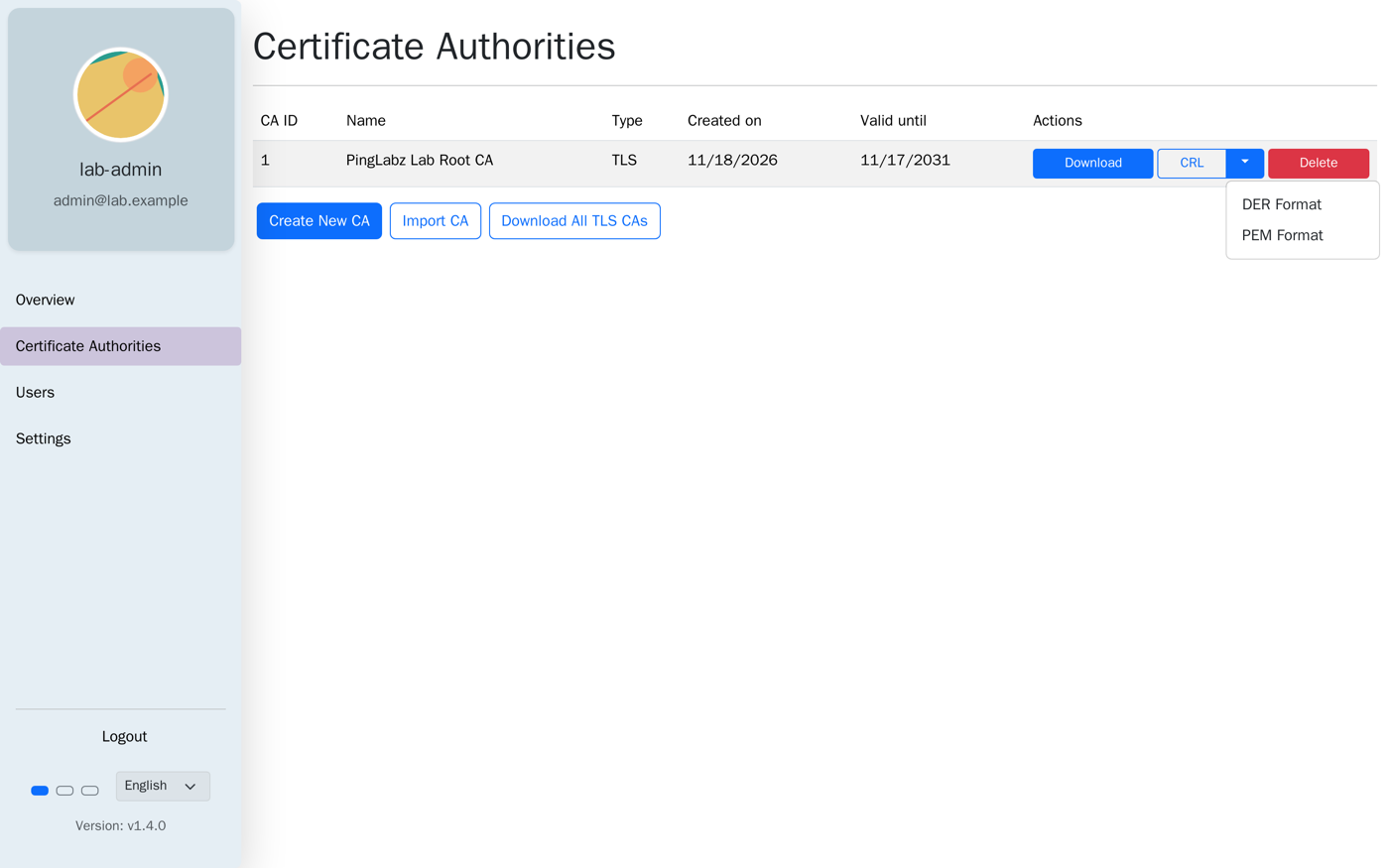
Step 2: Issue server and client certificates
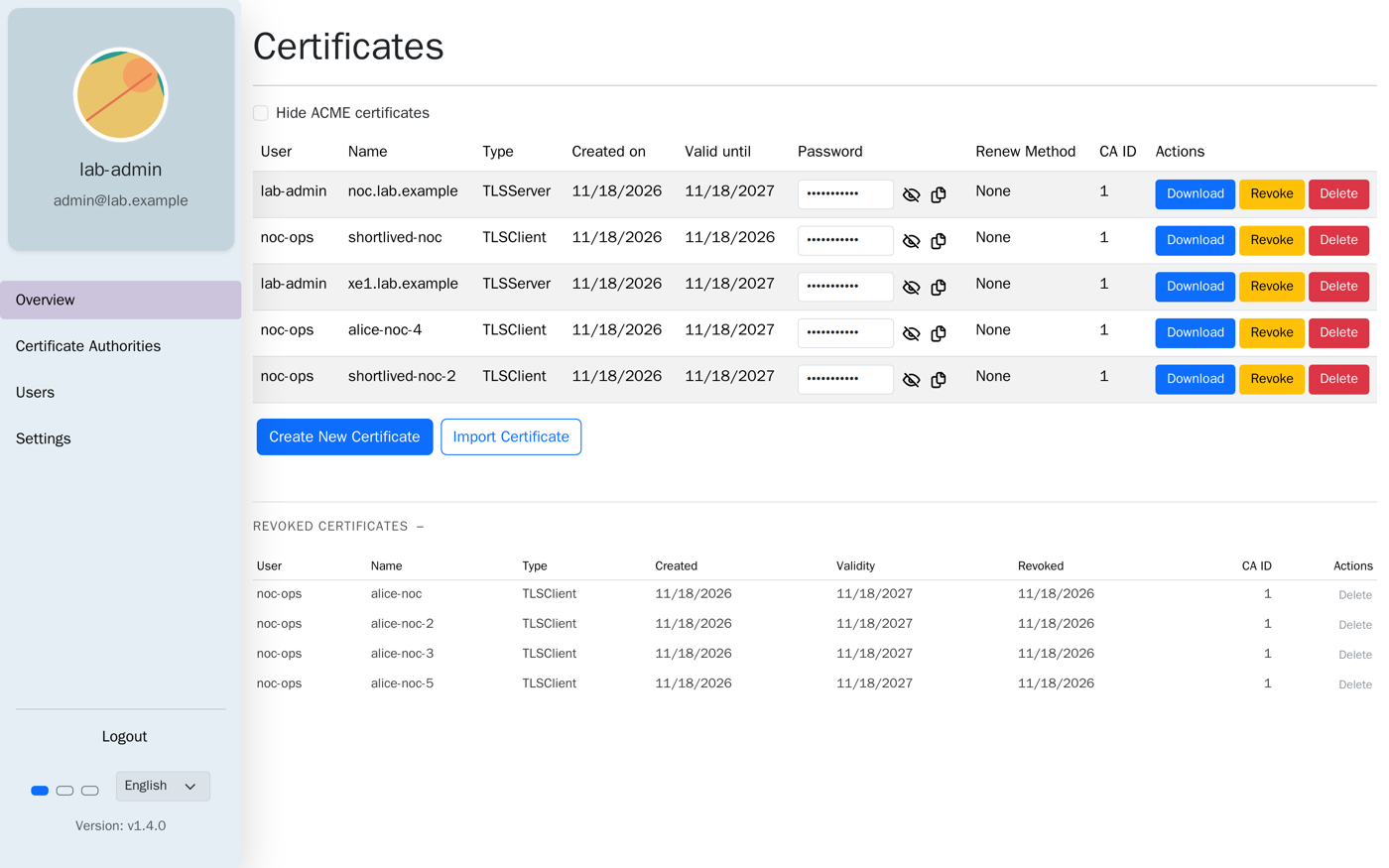
Create a non-admin user for the NOC operator, then issue one server certificate for the gateway and one client certificate for the operator. In the UI this is Create New Certificate on the Overview tab. Through the API:
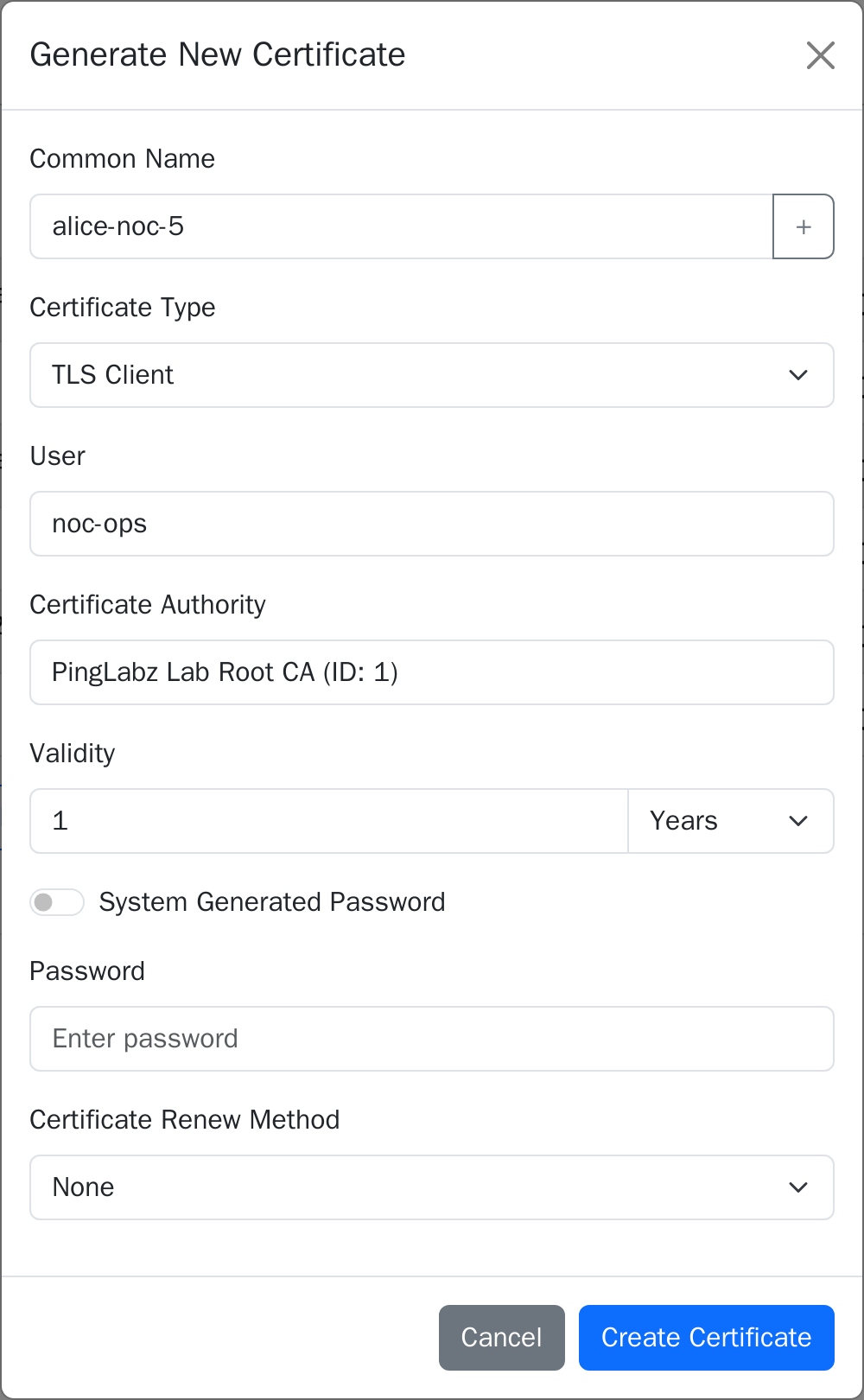
curl -b cookies.txt -X POST https://vaultls.lab.example/api/certificates \
  -H 'Content-Type: application/json' \
  -d '{"cert_name":{"cn":"alice-noc"},"validity_duration":1,"validity_unit":0,
       "user_id":2,"notify_user":false,"system_generated_password":false,
       "cert_password":"<P12-PASSWORD>","cert_type":0}'
# cert_type 0 = client, 1 = server (add "usage_limit":["noc.lab.example"] for the SAN)
VaulTLS hands out PKCS#12 bundles. nginx and curl want PEM, so split them:
curl -b cookies.txt -o alice.p12 https://vaultls.lab.example/api/certificates/2/download
openssl pkcs12 -in alice.p12 -passin pass:<P12-PASSWORD> -nokeys -clcerts -out alice.crt
openssl pkcs12 -in alice.p12 -passin pass:<P12-PASSWORD> -nocerts -nodes   -out alice.key
curl -b cookies.txt -o ca.pem https://vaultls.lab.example/api/certificates/ca/download
Read the certificates before you trust them. The client certificate has clientAuth, the server certificate has serverAuth and a SAN, and both carry the CRL pointer:
$ openssl x509 -in server.crt -noout -subject -issuer -dates -ext subjectAltName,extendedKeyUsage,crlDistributionPoints
subject=CN=noc.lab.example
issuer=CN=PingLabz Lab Root CA
notBefore=Nov 18 15:28:47 2026 GMT
notAfter=Nov 18 15:28:47 2027 GMT
X509v3 Subject Alternative Name:
    DNS:noc.lab.example
X509v3 Extended Key Usage:
    TLS Web Server Authentication
X509v3 CRL Distribution Points:
    Full Name:
      URI:http://vaultls-crl.lab.example:2277/crl/crl-1.crl
notBefore equals the issue time to the second. VaulTLS does not back-date certificates, so a device whose clock runs behind will reject a certificate you issued a minute ago.
Step 3: Put nginx in front of a service
The gateway serves a small NOC status endpoint and refuses any client that cannot prove a VaulTLS identity. The response echoes the certificate subject and serial, so the 200 proves which identity got in.
log_format mtls "$time_iso8601 $remote_addr verify=$ssl_client_verify dn=\"$ssl_client_s_dn\" serial=$ssl_client_serial status=$status";
access_log /var/log/nginx/access.log mtls;
error_log  /var/log/nginx/error.log info;

server {
    listen 443 ssl;
    server_name noc.lab.example;

    ssl_certificate         /etc/nginx/pki/server.crt;
    ssl_certificate_key     /etc/nginx/pki/server.key;
    ssl_protocols           TLSv1.2 TLSv1.3;

    ssl_client_certificate  /etc/nginx/pki/ca.pem;      # trust only the VaulTLS CA
    ssl_verify_client       on;
    ssl_verify_depth        2;
    ssl_crl                 /etc/nginx/pki/ca.crl.pem;  # PEM CRL from VaulTLS

    location = /api/status {
        default_type application/json;
        return 200 "{\"service\":\"noc-status\",\"result\":\"ok\",\"client_dn\":\"$ssl_client_s_dn\",\"client_serial\":\"$ssl_client_serial\"}\n";
    }
    location / { return 404; }
}
Fetch the first CRL in PEM form. The CRL endpoint needs no login:
curl -o ca.crl.pem "http://127.0.0.1:18200/api/certificates/ca/1/crl?format=pem"Results: three clients, three answers
The gateway accepted the VaulTLS client certificate and refused the other two, and the status code alone does not say which kind of refusal it was. The server log does.
$ curl --resolve noc.lab.example:443:192.0.2.20 --cacert ca.pem https://noc.lab.example/api/status
<title>400 No required SSL certificate was sent</title>
 -> HTTP 400

$ curl ... --cert alice.crt --key alice.key https://noc.lab.example/api/status
{"service":"noc-status","result":"ok","client_dn":"CN=alice-noc","client_serial":"3C3F91B8541D1891"}
 -> HTTP 200

$ curl ... --cert rogue.crt --key rogue.key https://noc.lab.example/api/status     # signed by another CA
<title>400 The SSL certificate error</title>
 -> HTTP 400
Read the gateway log for the reason behind each result:
client sent no required SSL certificate while reading client request headers, client: 192.0.2.10 ...
2026-11-18T15:29:56+00:00 192.0.2.10 verify=NONE dn="-" serial=- status=400
2026-11-18T15:29:56+00:00 192.0.2.10 verify=SUCCESS dn="CN=alice-noc" serial=3C3F91B8541D1891 status=200
client SSL certificate verify error: (21:unable to verify the first certificate) ...
2026-11-18T15:29:56+00:00 192.0.2.10 verify=FAILED:unable to verify the first certificate dn="CN=alice-noc" status=400
Note the last line: the forged certificate even claims the subject CN=alice-noc. The name is not the credential. The signature chain is. For the full alert-code walk-through of mTLS failures, see mTLS Client Certificate Rejected? Debug It with OpenSSL.
Failure and fix: a revoked certificate still got in
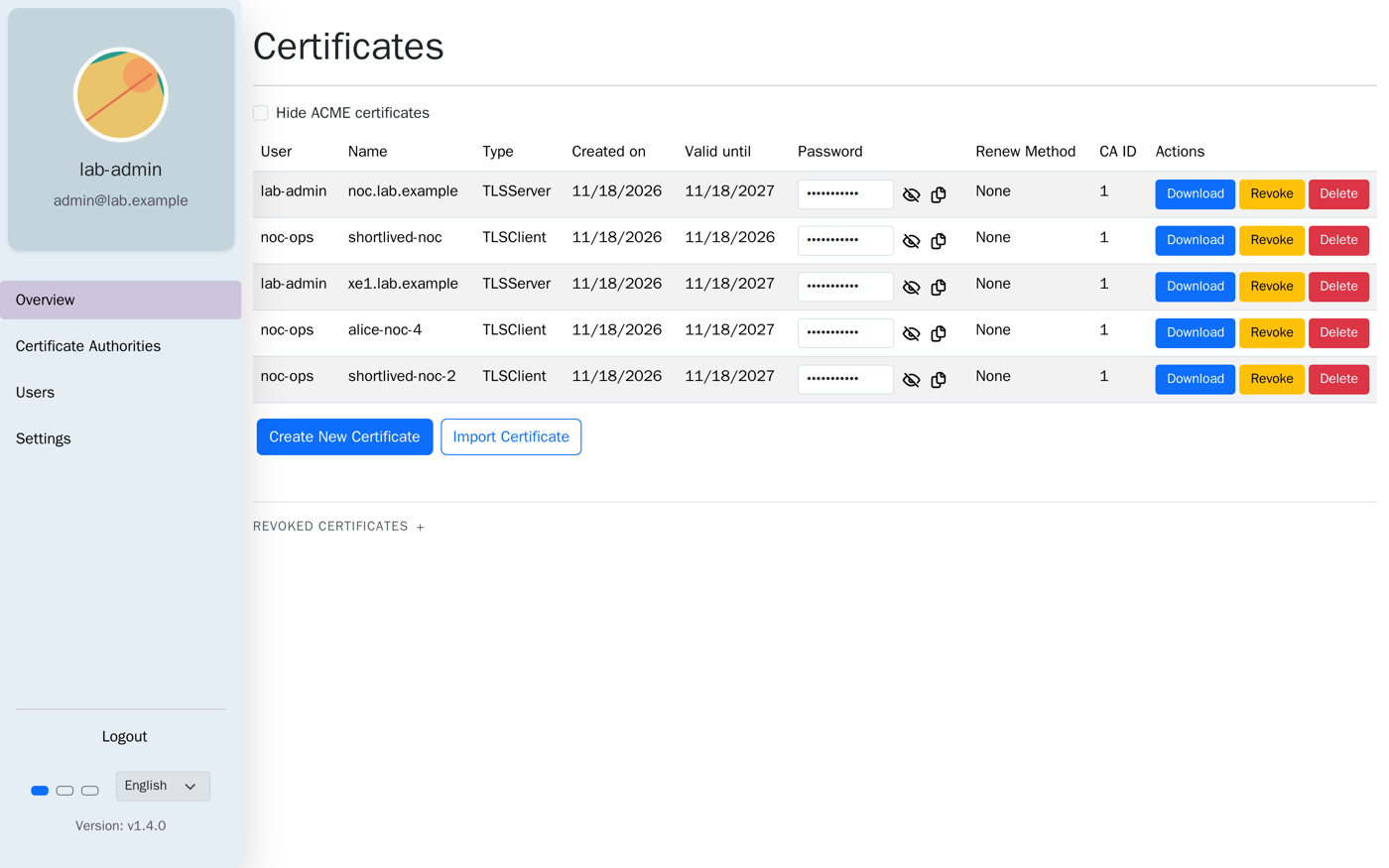
I revoked alice-noc (certificate ID 2) with POST /api/certificates/2/revoke; the Revoke button on the Overview tab does the same. VaulTLS updated its CRL immediately. The gateway did not notice, because nginx reads ssl_crl when its configuration loads, not per connection.
| Time after revoke | Event | Result |
|---|---|---|
| 0.0 s (15:30:39Z) | Revoke alice-noc in VaulTLS; CRL now lists serial 3C3F91B8541D1891 | - |
| 0.1 s | Client connects with the revoked certificate | HTTP 200 |
| 70.2 s | Same client again; nginx still holds the old CRL | HTTP 200 |
| 70.5 s | I start the CRL sync script; nginx reloads | - |
| 71.5 s | Same client | HTTP 400, log: (23:certificate revoked) |
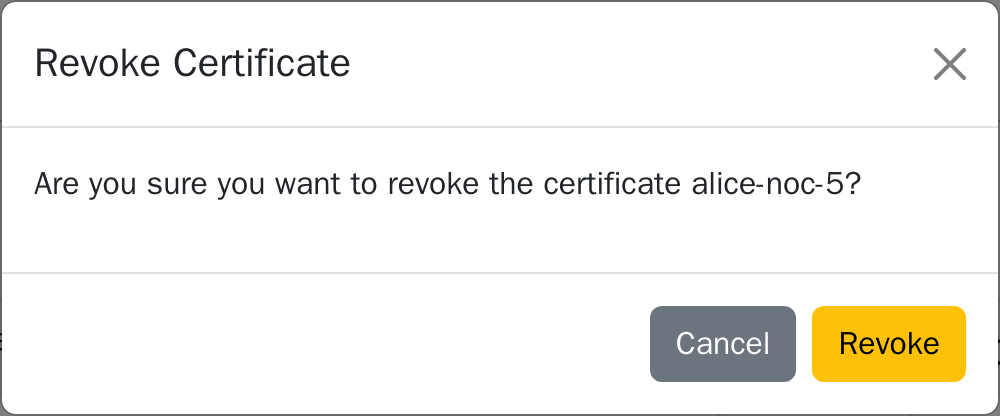
The 70 seconds was my own delay before starting the sync, so it shows the exposure window rather than a product limit. It also shows the point: revocation in VaulTLS is a published file. Something has to fetch it and tell the verifier.
The fix is a small sync loop. It fetches the PEM CRL, compares it with the file nginx uses, and reloads nginx only when the CRL changed:
#!/bin/bash
# crl-sync.sh [interval-seconds]
while true; do
  curl -s -o ca.crl.new "http://127.0.0.1:18200/api/certificates/ca/1/crl?format=pem" && \
  if openssl crl -in ca.crl.new -noout 2>/dev/null && ! cmp -s ca.crl.new ca.crl.pem; then
    mv ca.crl.new ca.crl.pem
    docker exec noc-gw nginx -s reload
    echo "$(date -u +%T.%3NZ) CRL changed, nginx reloaded"
  fi
  sleep "${1:-15}"
done
With the loop polling every 15 seconds, I revoked a second certificate and probed once a second. The gateway denied the certificate 4.6 seconds after the revoke. The loop's own log shows the reload 3.4 seconds after the revoke. The worst case is the poll interval plus a reload.
Recovery: with alice-noc already denied (15:31:50Z), I started the replacement at 15:32:06Z. The script issued alice-noc-2, downloaded and split it, and retried. Access was back 0.7 seconds after the script started:
== T+0.0s (15:32:06.660Z) alice-noc denied (revoked). Issue replacement cert alice-noc-2
+0.4s issued id=4; download p12
+0.6s split to PEM, test
{"service":"noc-status","result":"ok","client_dn":"CN=alice-noc-2","client_serial":"EF95D4A55B308D03"}
 -> HTTP 200
+0.7s access restored
That is the machine path. A person using the UI still has to open the create dialog, download the bundle and install it on the client, and I did not time that.
The CRL itself carries a counter and the revoked serials. After two revocations:
Last Update: Nov 18 15:32:16 2026 GMT
Next Update: Nov 25 15:32:16 2026 GMT
X509v3 CRL Number: 3
Revoked Certificates:
    Serial Number: 3C3F91B8541D1891   Revocation Date: Nov 18 15:30:39 2026 GMT
    Serial Number: EF95D4A55B308D03   Revocation Date: Nov 18 15:32:16 2026 GMT
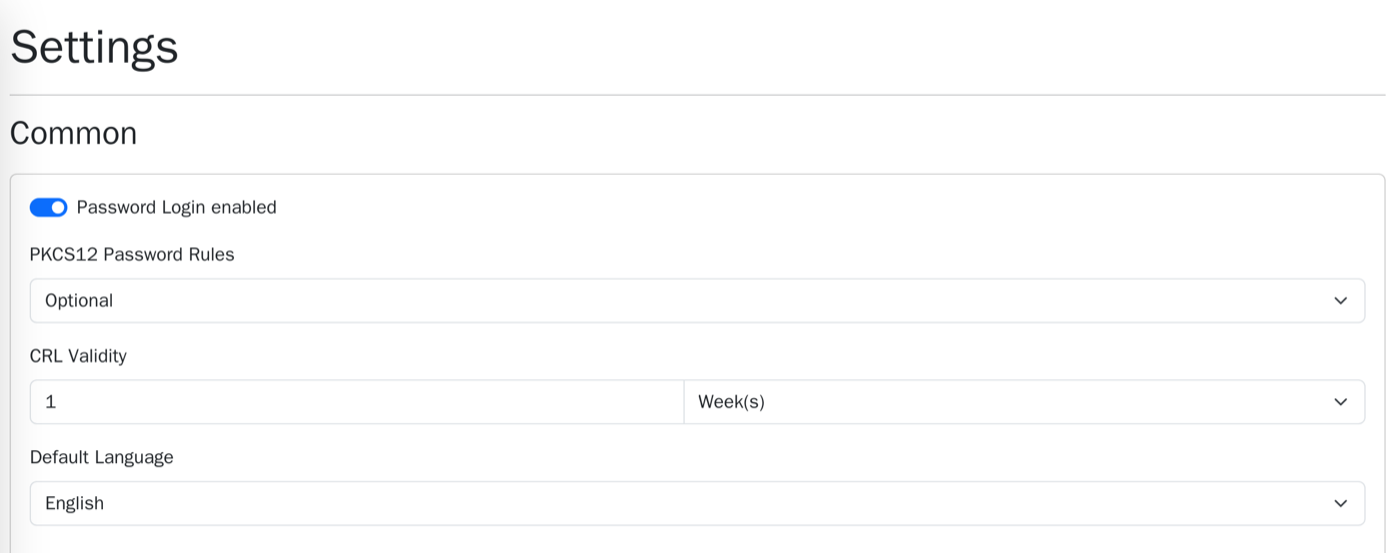
Next Update is seven days out. It is the crl_next_update_hours setting (168 by default), and the Settings tab has a CRL Validity field for it. A verifier that treats an expired CRL as fatal will reject every client once that date passes, so keep the sync running.
The network-gear angle: IOS XE RESTCONF with a VaulTLS client certificate
The same CA can gate a Cisco device's HTTPS management plane. Here a Catalyst 8000V on IOS XE 17.18.02 requires a client certificate before it will answer RESTCONF. Import the VaulTLS root into a trustpoint, turn on client authentication, and tell the router to check revocation through the CRL pointer in each certificate.
hostname XE1
ip domain name lab.example
ip host vrf MGMT vaultls-crl.lab.example 192.0.2.10
!
crypto pki trustpoint VAULTLS-CA
 enrollment terminal
 vrf MGMT
 revocation-check crl
!
ip http secure-server
ip http authentication local
ip http secure-client-auth
ip http client source-interface GigabitEthernet1
restconf
Then authenticate the CA by pasting ca.pem. The router prints a fingerprint; compare it with the CA you downloaded before you answer yes.
XE1(config)# crypto pki authenticate VAULTLS-CA
(paste the contents of ca.pem, then type: quit)
% Do you accept this certificate? [yes/no]: yes
Trustpoint CA certificate accepted.
% Certificate successfully imported
Port 2277 on the VaulTLS host is the CRL file server. The router fetches http://vaultls-crl.lab.example:2277/crl/crl-1.crl over the management VRF on first use. These are the results against https://192.0.2.50/restconf/... with the same curl client, using HTTP basic credentials as well (admin:<PASSWORD>):
[no client cert]        HTTP 400  No required SSL certificate was sent
[cert from another CA]  HTTP 000  alert certificate unknown
[alice-noc  (revoked)]  HTTP 000  alert certificate unknown
[alice-noc-3 (revoked)] HTTP 000  alert certificate unknown
[alice-noc-4 (valid)]   HTTP 200  {"Cisco-IOS-XE-native:version":"17.18"}
The router's own log names the revoked serial, which is the line to look for when someone says their certificate stopped working:
%PKI-3-CERTIFICATE_REVOKED: Certificate chain validation has failed. The certificate (SN: 3C3F91B8541D1891) is revokedBefore I enabled revocation-check crl, the router accepted the revoked alice-noc certificate with HTTP 200. The trustpoint started with revocation-check none in my first pass. Trusting the CA is not the same as checking revocation.
The router also caches the CRL, so it repeats the nginx lesson. I revoked alice-noc-3 at 15:47:50Z. The router kept answering 200 because it still held the CRL it had fetched at 15:47:26Z. crypto pki crl request VAULTLS-CA did not help on this trustpoint; it logged %PKI-3-CRL_FETCH_FAIL: CRL fetch for trustpoint VAULTLS-CA failed. clear crypto pki crl dropped the cache, the router re-fetched the CRL at 15:48:24Z, and the next request was refused. That was 34 seconds from revoke to denial, most of it me typing.
Expiry: the other way a certificate dies
VaulTLS accepts validity in years, months, days or hours, with a one-hour minimum. I issued shortlived-noc for one hour at 15:28:55Z and had a script probe the gateway every 30 seconds.
The 30-second probe logged 117 straight HTTP 200 responses. A one-second probe around the deadline caught the exact moment: the last 200 at 16:28:54Z, the first 400 at 16:28:55Z. The certificate's notAfter was Nov 18 16:28:55 2026 GMT, so the gateway refused it in the same second it expired.
2026-11-18T16:28:54+00:00 192.0.2.10 verify=SUCCESS dn="CN=shortlived-noc" serial=B4EB29214070A765 status=200
2026-11-18T16:28:55+00:00 192.0.2.10 verify=FAILED:certificate has expired dn="CN=shortlived-noc" serial=B4EB29214070A765 status=400
client SSL certificate verify error: (10:certificate has expired) while reading client request headers
Unlike revocation, expiry needs no CRL, no sync and no reload. The verifier compares the clock to notAfter on every handshake. Recovery was a new certificate: issued at 16:30:04.9Z, tested at 16:30:05Z, HTTP 200 for CN=shortlived-noc-2, 0.5 seconds end to end through the API. The expired certificate stayed refused.
The practical difference: expiry is predictable and the date is in the VaulTLS list, while revocation depends on how fast each verifier reads the CRL. Short validity is the cheaper control where you can reissue often.
Gotchas
422 Unprocessable Entityfrom the API.validity_unitandcert_typeare integers. Sending"Year"as text fails; send0.400 No required SSL certificate was sentversus400 The SSL certificate error. The first means no certificate arrived. The second means one arrived and failed. Readerror.logfor(21:unable to verify the first certificate)(unknown CA) or(23:certificate revoked).- Revocation does nothing until the verifier reloads the CRL. nginx needs a reload. IOS XE needs its cached CRL to expire or
clear crypto pki crl. (10:certificate has expired)in the nginx log. The client certificate passednotAfter. Issue a new one; no CRL change is involved.- Login fails over plain HTTP. The README says to use HTTPS or set
VAULTLS_INSECURE=truefor lab use only. - Keys live on the CA. VaulTLS generates the private key and keeps the PKCS#12, so anyone who can read the VaulTLS data volume can read every client key. Set
VAULTLS_DB_SECRETto encrypt the database; the README notes this cannot be undone. - No IP SANs yet. A server certificate takes DNS names only (open issue #251), so give network gear a DNS name.
- Router clocks. The C8000V logged
%PKI-2-NON_AUTHORITATIVE_CLOCKat boot. Use NTP on real devices; certificates are issued with no back-dating.
Open issue: I could not get IOS XE 17.18.02 to import the ECDSA private key that VaulTLS generates (%PKI-3-PKCS12_IMPORT_FAILURE ... Reason: Unknown reason), so the router kept its self-signed server certificate and VaulTLS only supplied the client side.
FAQ
Does VaulTLS support OCSP?
No. I found no OCSP code or documentation in the repository. Revocation is a CRL, which VaulTLS serves from the API and from a static file server on port 2277.
Can I submit a CSR from a router or server?
Not in the API I read. VaulTLS creates the key pair itself and returns a PKCS#12 file. For devices that cannot import that format, this is the main reason to look at a CSR-based CA such as step-ca.
How fast does a revocation take effect?
VaulTLS lists the revoked serial in its CRL right away. The gateway then needs a reload (4.6 s here with a 15-second poll) and a router needs a fresh CRL (34 s here, after a manual cache clear).
Can VaulTLS issue certificates automatically?
It can act as an ACME CA with External Account Binding (v1.2.0 and later). I did not test it in this lab. Set VAULTLS_ACME_ENABLED=true and create an account in the ACME tab.
Is it safe to expose the CRL port?
The CRL is public by design: a revocation list holds serial numbers and dates, not keys. The README says port 2277 may be exposed. Keep the UI and API port private.
Scope: one CA, one gateway and one router, with password login. OIDC, email, ACME and intermediate CAs were not exercised.
Key takeaways
- Strength: VaulTLS makes a working mTLS CA fast: from container start (15:28:01Z) to a downloaded client certificate (15:28:56Z) took under a minute here, through the API.
- Limit: Revocation is only as quick as your verifier's CRL refresh. Build the sync for nginx, and plan the cache clear on a router.
- Limit: The CA holds every private key, there is no OCSP, and there is one main maintainer.
- Choose it when a home lab or small NOC wants a UI, expiry visibility and CRL revocation. Choose a CSR-based CA when devices must generate their own keys.