
Netdisco answers the questions you ask during an outage: where is this MAC, which port is this IP on, and what's plugged into what. I installed Netdisco 2.117001 (BSD-3-Clause, released November 2, 2026) in my home lab, pointed it at one router, and let CDP find the rest: two Cisco IOS XE 17.18.2 WAN routers and an IOS XE 17.18.2 access switch, all over SNMPv3.
It's a small lab, so I'll be clear about what it could and couldn't show. The topology and ARP parts work well. The MAC table part mostly had nothing to find.

Setup
I used the official Docker images (backend, web and PostgreSQL), pinned to the 2.117001 tags. The backend runs the SNMP jobs and needs an IP the devices accept SNMP from. My routers and switch only allow a short list of pollers, so I added the backend's address to the switch's SNMP ACL first:
acc-sw1(config)# ip access-list standard ZBX-SNMP
acc-sw1(config-std-nacl)# 30 permit 10.66.20.44
The routers use SNMPv3 authPriv and the switch uses authNoPriv, so deployment.yml gets one credential set for each, matched by IP. discover_only keeps Netdisco from wandering off to anything CDP mentions outside the lab:
device_auth:
  - tag: v3_routers
    only: [10.66.20.11, 10.66.20.12]
    user: zbxmon
    auth: { pass: <AUTH>, proto: SHA }
    priv: { pass: <PRIV>, proto: AES }
  - tag: v3_switch_authnopriv
    only: [10.66.20.21]
    user: zbxmon
    auth: { pass: <AUTH>, proto: SHA }
discover_only: [10.66.20.0/24]
I set no_auth: true so the web UI opens without a login. That's fine in a closed lab. Don't do it anywhere else, because the UI can also change port settings if you turn that on.
Discovery from one seed
$ netdisco-do discover -d 10.66.20.11
info App::Netdisco version 2.117001 loaded.
info discover: [10.66.20.11] started at Tue Nov  3 17:31:21 2026
info discover: finished at Tue Nov  3 17:31:24 2026
info discover: status done: Successful discover for existing device 10.66.20.11

real	0m4.130s
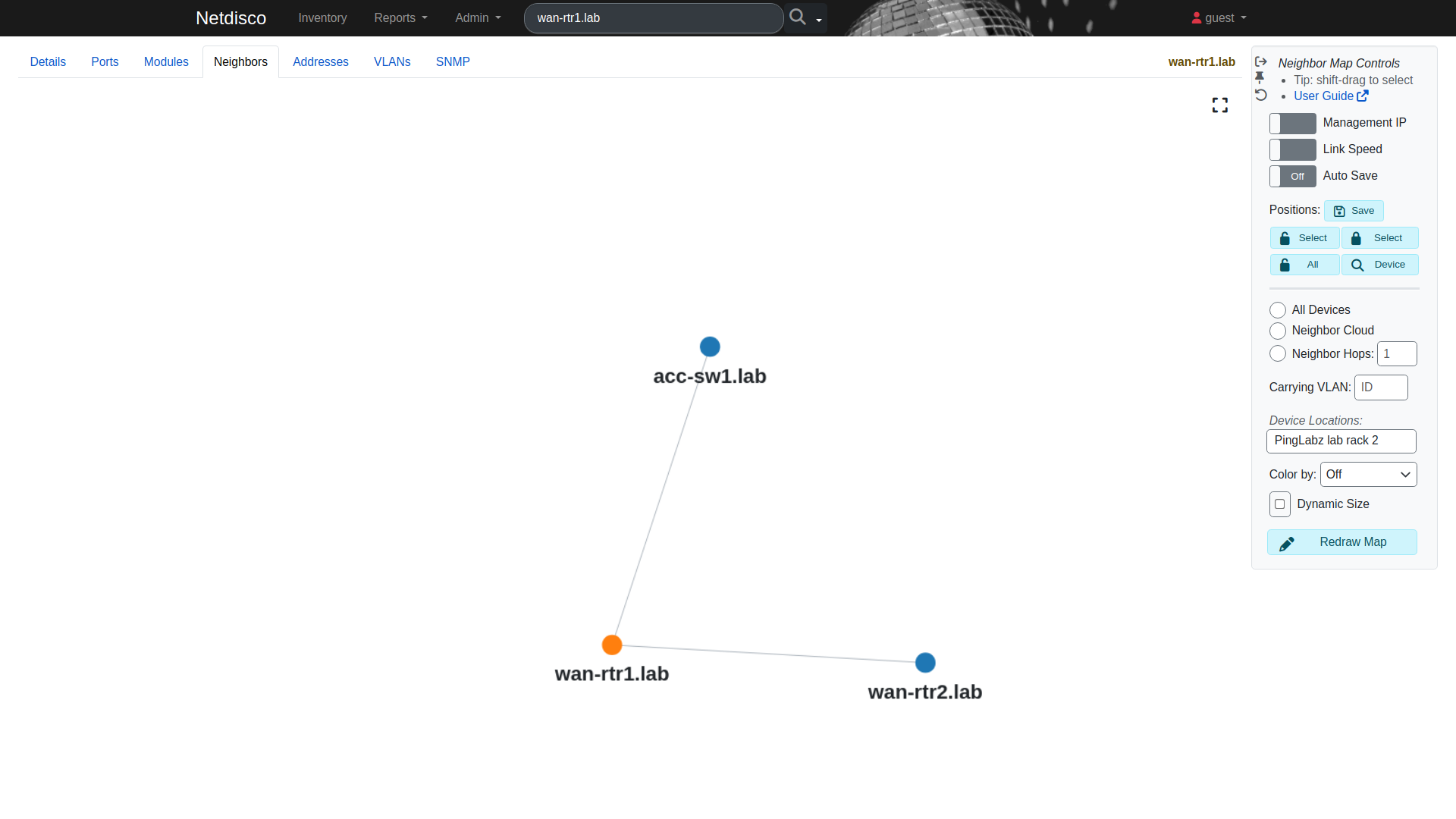
On the first run, the backend queued wan-rtr2 and acc-sw1 from wan-rtr1's CDP table and discovered both on its own. It then ran macsuck (MAC tables) and arpnip (ARP tables) against all three. The whole lab was in the database within a minute or so. The links it stored:
     ip      |    port     |  remote_ip  | remote_port
-------------+-------------+-------------+-------------
 10.66.20.11 | Ethernet0/0 | 10.66.20.12 | Ethernet0/0
 10.66.20.11 | Ethernet0/1 | 10.0.12.2   | Ethernet0/1
 10.66.20.11 | Ethernet0/2 | 10.0.10.2   | Ethernet0/1
 10.66.20.21 | Ethernet0/1 | 10.0.10.1   | Ethernet0/2
 10.66.20.12 | Ethernet0/1 | 10.0.12.1   | Ethernet0/1
CDP gives the neighbour's address on that link (10.0.12.2, 10.0.10.2), not its management IP. Netdisco matches those back to the right devices anyway, which is why the map above has three clean nodes and no duplicates.
Device and port views
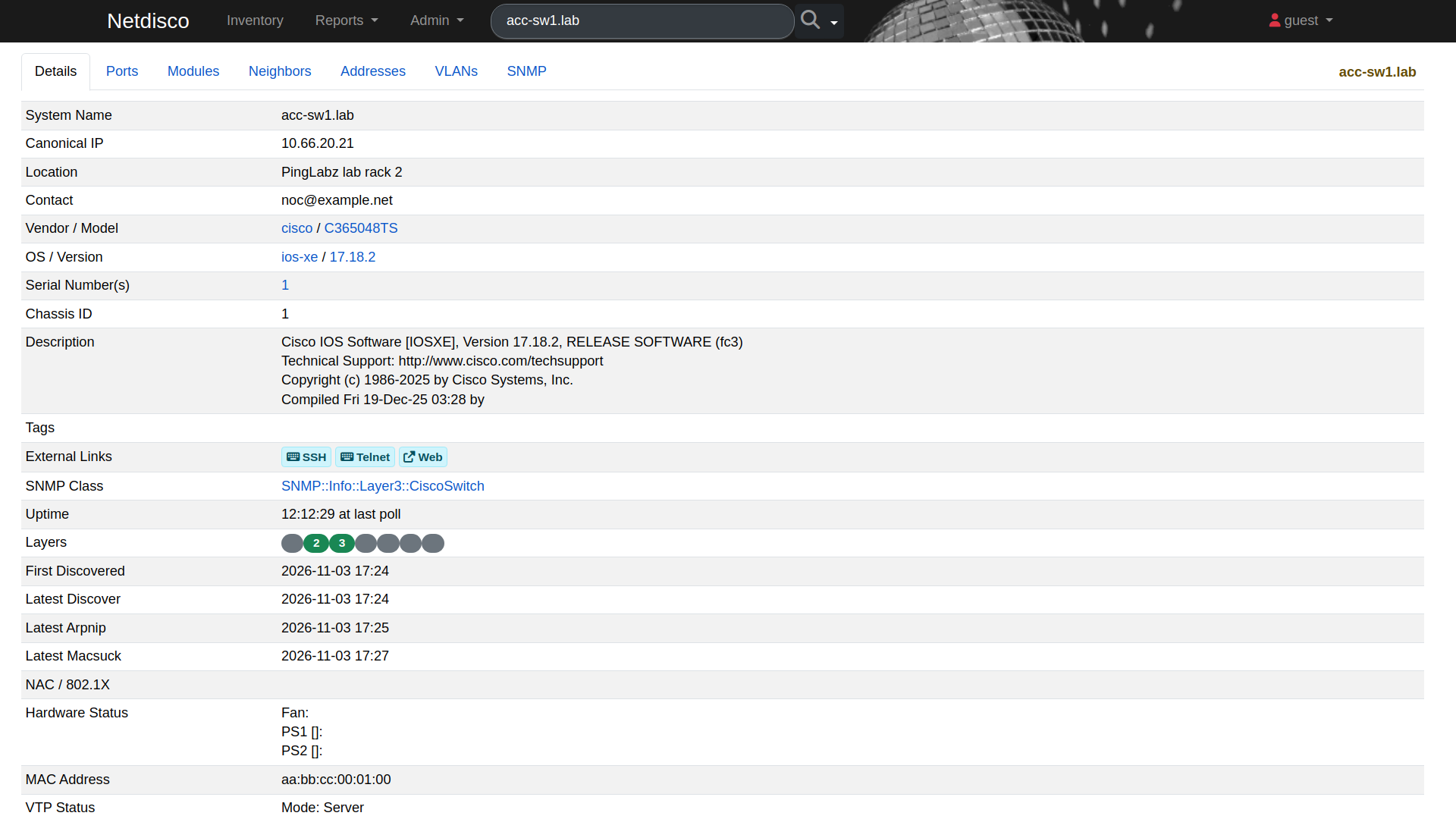
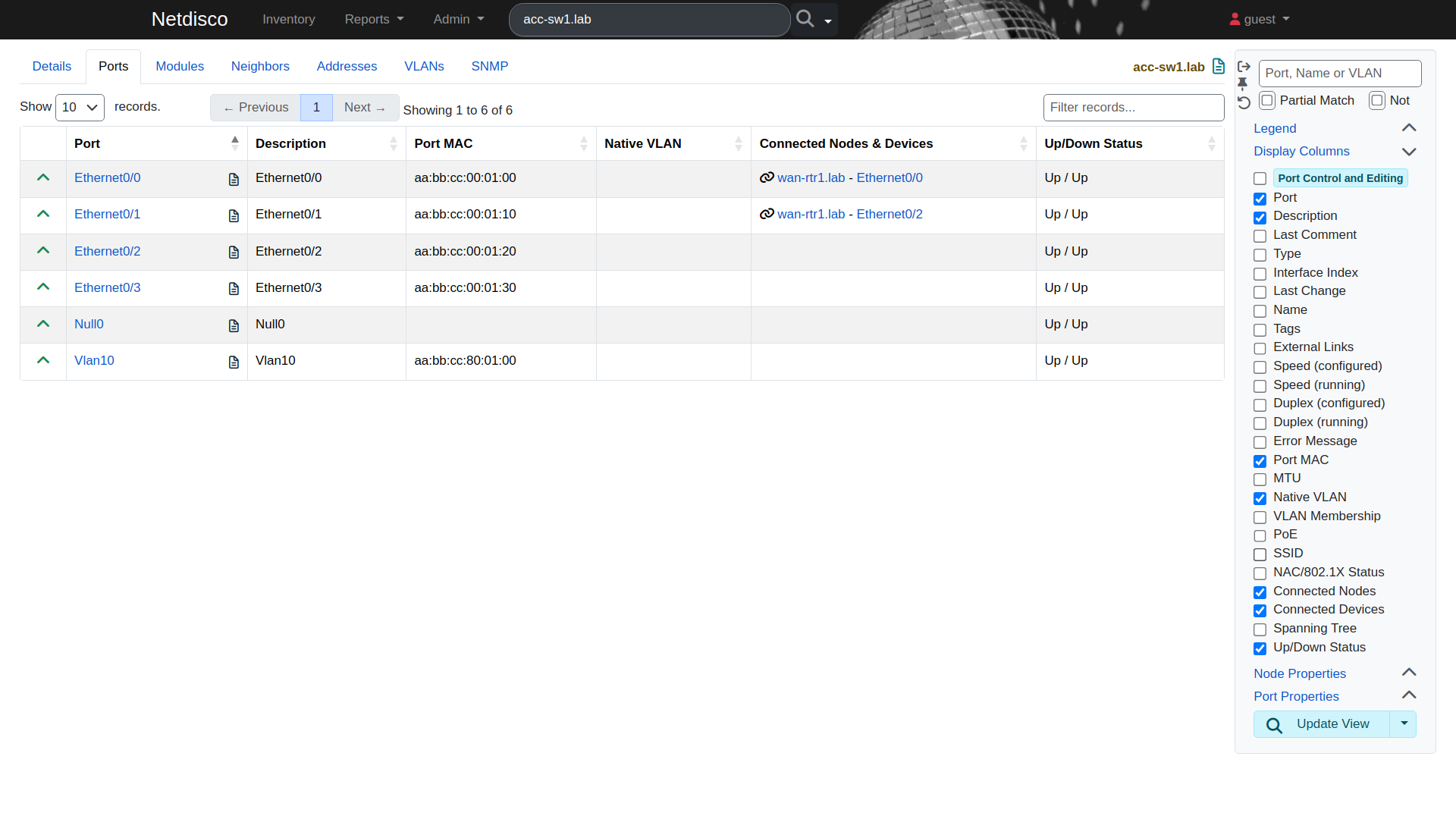
The ports tab shows each interface with its MAC, state and whatever is connected. The two uplinks on acc-sw1 show wan-rtr1 as the neighbour:
Find a host by MAC or IP
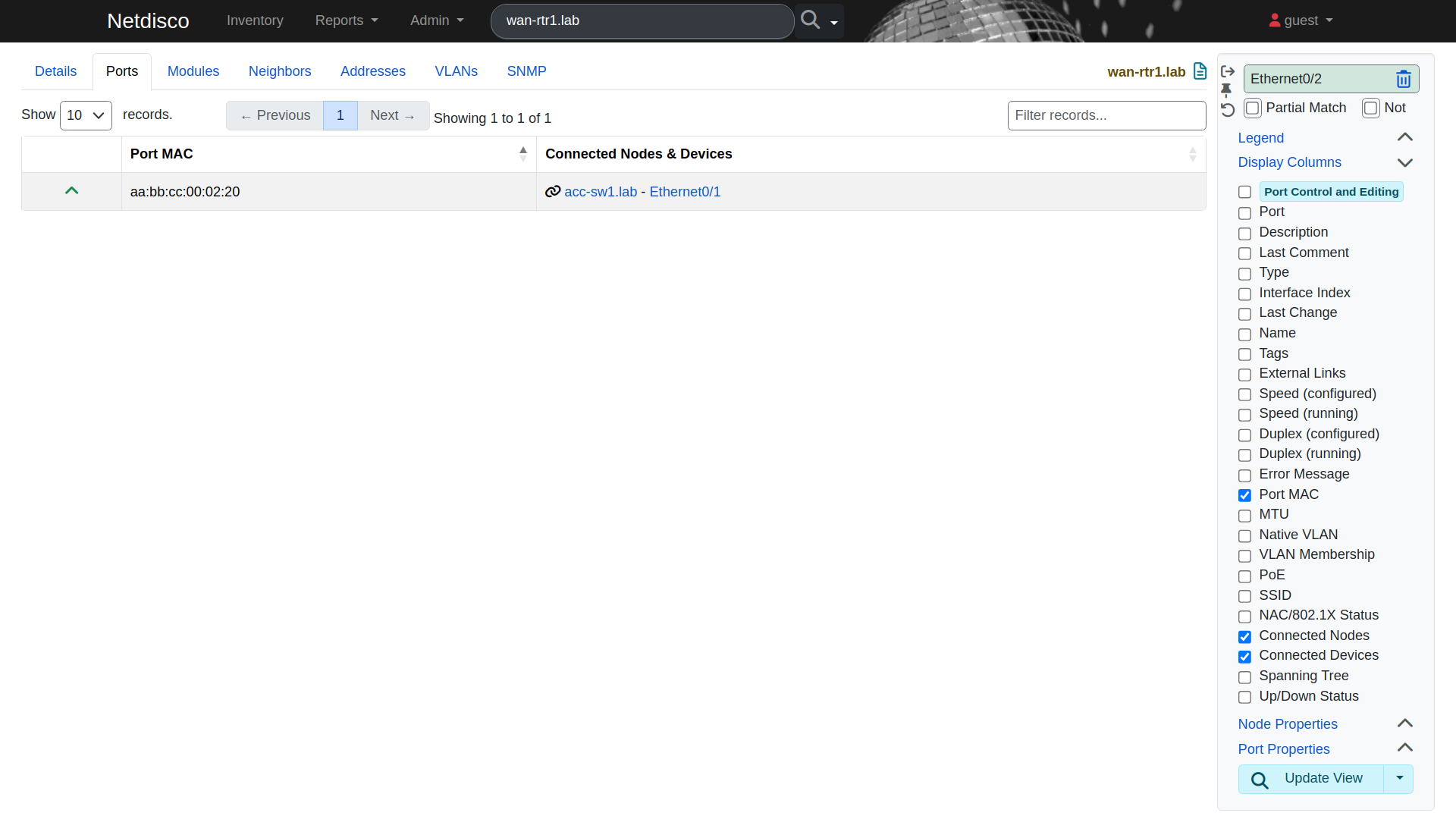
This is the feature people install Netdisco for. I searched for aa:bb:cc:00:02:20, a MAC the switch had learned on Et0/1. Netdisco knew it was wan-rtr1's own Et0/2 interface MAC and jumped straight to that port, with acc-sw1 Et0/1 as the far end:
Searching by IP uses the ARP data. 10.0.10.1 resolves to that same MAC, seen in acc-sw1's ARP table:
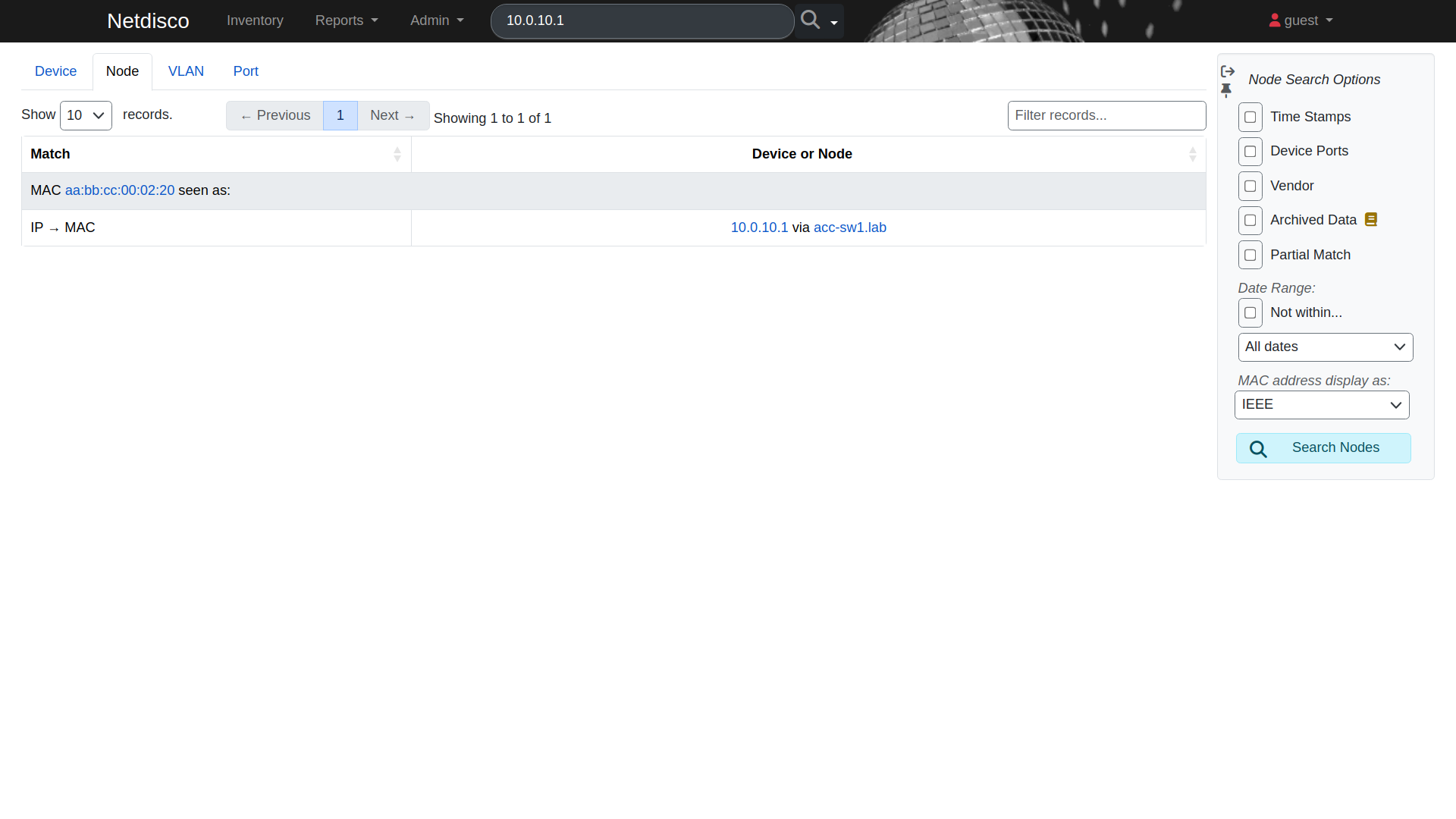
Across the three devices, arpnip collected 18 active ARP entries.
What this lab couldn't show
The usual Netdisco story is "this laptop is on switch X, port Y, VLAN Z". That needs end hosts on access ports, and my switch has none. Its MAC table had exactly one entry:
acc-sw1# show mac address-table dynamic
Vlan    Mac Address       Type        Ports
----    -----------       --------    -----
  10    aabb.cc00.0220    DYNAMIC     Et0/1
That MAC is wan-rtr1, and it's on a port with a CDP neighbour. Netdisco treats ports with a device neighbour as uplinks and doesn't record end-host locations there, so the node table stayed empty. On top of that, macsuck logged no VLANs found for this switch over SNMP, so it fell back to reading the bridge table without a VLAN context. On a real Catalyst with access ports and hosts, both of these behave differently. I'd test there before trusting it for host tracking at scale.
Resource use
Idle, after discovery, from docker stats: backend 875 MiB, web 665 MiB and PostgreSQL 94 MiB, so about 1.6 GiB in total. That's more than LibreNMS used for the same three devices in the previous post. Most of it is the Perl workers.
Where it fits
Netdisco doesn't do graphs or alerts. It's a lookup and inventory tool. It sits well beside Zabbix or LibreNMS: they tell you something broke, and Netdisco tells you where a MAC or IP lives and what's cabled to what. The CDP-based map is a quick check against the neighbour map I built with Ansible in the CDP and LLDP post, and the device list is a cross-check for whatever you keep in NetBox.
Related posts
- Previous: LibreNMS vs Zabbix on Cisco IOS XE
- Add Cisco IOS XE Routers and Switches to Zabbix over SNMPv3
- Build a CDP and LLDP Neighbor Map with Ansible on Cisco IOS XE
Now live: Suricata and Zeek on the management network, the last post in this part of the series, watches who talks to these same devices.