PINGLABZ // BROWSER LABS
Learn the commands.
Build the network.
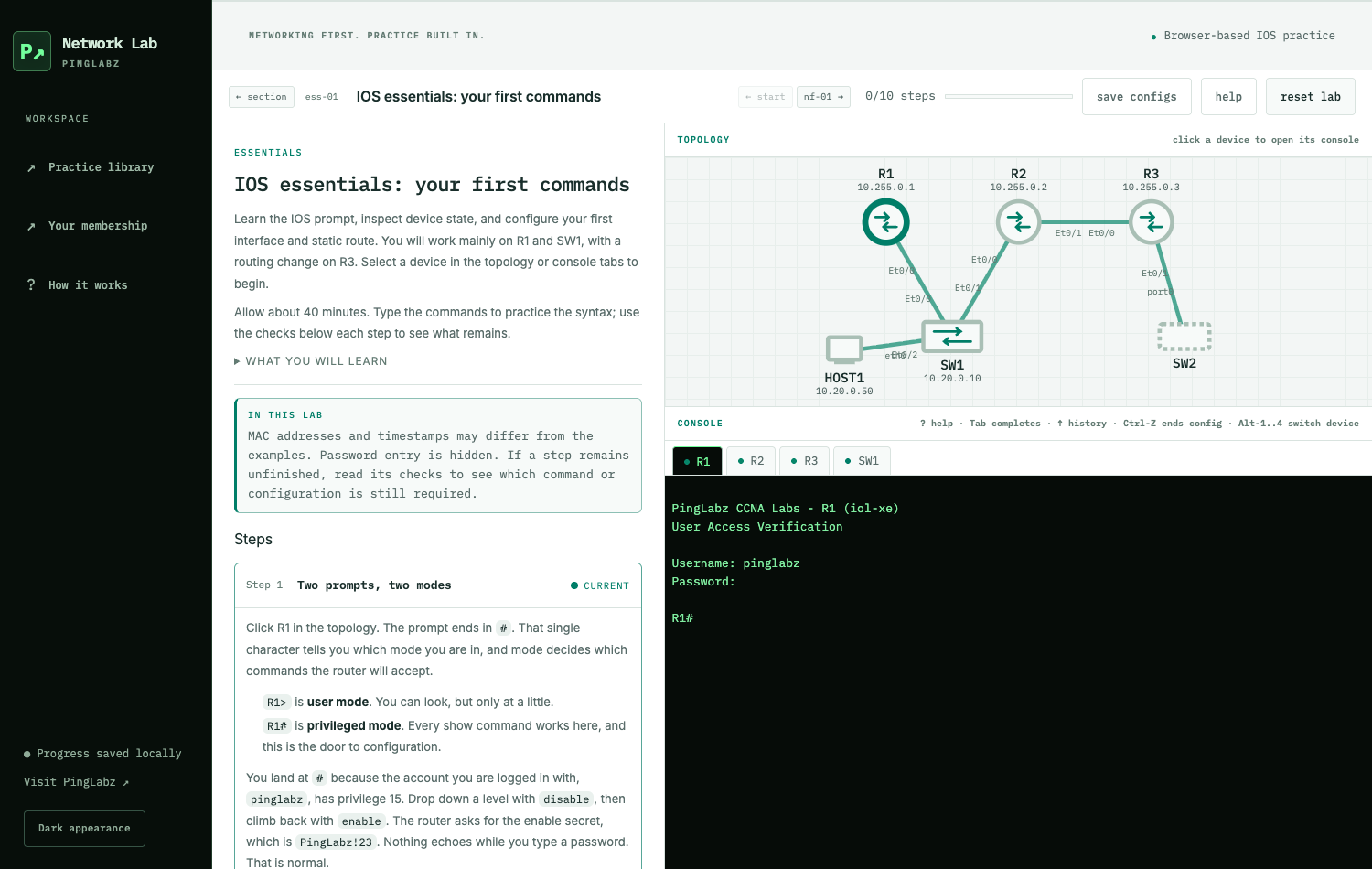
Practice selected Cisco IOS-style commands in your browser. Follow guided steps, configure devices, and check your work as you go. No installation or hardware required.
Essentials is free, with no account needed. PingLabz Pro unlocks the other 67 labs.
Build recall. Then put it to work.
PingLabz Practice adds original CCNA questions, spaced flashcards and two timed v2.0 mock forms to your study routine. Try the free sample, then use your existing Pro membership for the full collection.
From your first command to a campus network
Start with Essentials
Learn the IOS prompt, inspect a device, and configure your first interface and route. Your first lab is free.
Open Essentials →Build your skills
60 guided labs cover network fundamentals, switching, IP connectivity, IP services, and security. Pick a topic or work through each section.
Browse the lab library →Find and fix faults
Six troubleshooting labs start with broken networks. Read the ticket, investigate the symptoms, and verify your fix.
Preview a Pro troubleshooting lab →Build the campus
Bring switching, routing, redundant gateways, services, and access controls together in the ten-device Mega Lab.
Preview the Pro Mega Lab →Practice that keeps up with you
- Type real commands. Each simulated device has its own interactive IOS-style console.
- Check your work. Lab steps turn green as your configuration meets their checks.
- Explore the topology. Select a device in the network diagram to open its console.
- Pick up where you left off. Sessions and progress are saved in this browser. Export your progress to keep a backup.
One PingLabz membership
Try Essentials at no cost. A paid PingLabz membership unlocks all 60 build labs, six troubleshooting labs, and the Mega Lab, plus CCNA Practice: 500 questions, two timed mock exams and 200 flashcards. Already a Pro member? Sign in with your existing PingLabz account when you open a lab.
Pro: $7.99 billed monthly or $59 billed yearly. The annual plan saves $36.88 against 12 monthly payments. Essentials stays free, with no account required.
Before you start
Do I need to install anything?
No. These labs run in your browser. A desktop or laptop with a keyboard works best for entering commands.
Is this a real Cisco device?
The app emulates Cisco IOS commands and selected network behavior. It computes protocol state rather than exchanging real packets, and it does not reproduce every hardware feature, timer, or counter. Each lab explains its limits. Read how the labs work.
Does progress sync between devices?
Progress and device sessions are stored locally in your browser. Membership follows your account; progress does not automatically sync. Use the library’s export and import controls to transfer your completion record.
What happened to the CML lab libraries?
The former CML lab libraries have been retired. CCNA flashcards now live in CCNA Practice. Use the browser lab app above for the current lab library, or browse our networking guides for reference articles.
Need help with a lab?
Email contact@pinglabz.com with the lab ID and the command you were trying.